 ABfit
ABfitABfit is a personal nutrition and progress app. It runs as a web app in the browser and on the Home Screen of iPhone, iPad and computer, and keeps food, activity, weight and medications in one place. Here is what you can do with it:
🏠 CockpitThe home page: large calorie ring (“… kcal left”), four rings for protein, carbs, fat and water, a card with weight, steps and progress, the medication hint and the yellow “Add food” button.
📅 Day overviewMeals, macros, day wrap-up, weight and week for one day – tap the calorie ring in the Cockpit or go to More → Day overview.
📒 Diary & mealsBreakfast, Lunch, Dinner, Snacks – with calorie ring, macros (protein, carbs, fat), sugar, fiber and salt.
🔍 Food searchYour own base database plus Open Food Facts; recently eaten, favorites, servings and quick amounts.
▦ Barcode scannerScan a package or type the number – the nutrition values arrive automatically.
📷 Nutrition label by photoIf ABfit does not know a package, just photograph its nutrition label: the AI reads the values and creates the food for you.
📷 Meal by photo (AI)Photograph your plate: the AI recognizes the components and estimates the amounts; you check and log with one tap.
🍽️ Photograph leftoversDid not finish? Photograph the plate after eating: the AI estimates what is left, you fine-tune with sliders – calories go down, with Undo.
🎙️ Speak / dictation“Two rolls with butter and a coffee” – recognized, matched and shown for you to check.
📖 Recipes from textPaste a recipe (from a website, a blog or an AI chat): ingredients are matched to foods, nutrition per serving is calculated, and a serving goes straight into your diary.
📷 Recipe by photoPhotograph a recipe from a cookbook, magazine or screenshot: the AI reads title, ingredients, amounts and servings – you check and save.
➕ Custom foodsProducts you create yourself with nutrition values, serving and barcode – they show up in the search tagged “custom”.
⚖️ Weight & body fatCurve from 30 days up to “All”, trend, entry by hand or automatically from Apple Health.
📅 Week barSeven days at a glance: calories per day, water and rating – in the Cockpit via the “Progress” card or in the Day overview.
✅ Day wrap-upSummary of the day with budget, activity bonus and remaining calories.
✨ AI ratingHave a day or a single meal rated: traffic light, grade, what went well, what to watch, one concrete tip.
💧 WaterLog liters quickly with one tap; it feeds into the day wrap-up and the rating.
💊 MedicationsIts own page – reached via the medication hint in the Cockpit or under More: log product, dose, site, note and side effects; dose curve with weight, rhythm and next dose – a log only, no recommendation.
🏃 ActivitySteps, active kcal and workouts can also be entered by hand; the most recently entered value counts until a real Health transfer arrives. Active calories raise the daily budget.
❤️ Apple Health syncThe shortcut “ABfit Sync” sends steps, active kcal, weight, body fat and workouts – automatically several times a day if you like; old data via a ZIP export.
🌍 Six languagesDeutsch, English, ไทย (Thai), Français, Italiano and Español – selectable per device and account under More → Settings.
🌙 Dark modeLight, Dark or Automatic (follows your device) – under Settings → Appearance.
👆 SwipingSwipe left or right to move between the four tabs Cockpit, Food, History and More; there is a gentle rubber-band effect at the edges.
💻 iPad & computerTwo-column layout from about 768 px width, with a sidebar from about 1024 px – same data as on the iPhone.
🔑 Password & accountChange your password yourself (at least 8 characters) and delete your account completely if you wish – under Settings → Account.
🗑️ Delete several at oncePer meal tap “Select”, tick several entries and delete them together – with Undo.
👥 Several usersEvery person has their own login and completely separate data, goals and recipes.
🎯 Goals & profileDaily goal calculated automatically from height, weight, age, daily activity and pace – or set it yourself; macro split freely selectable.
📱 Web appRuns in the browser and as an app on the Home Screen, without the App Store; fast and compact.
What ABfit looks like
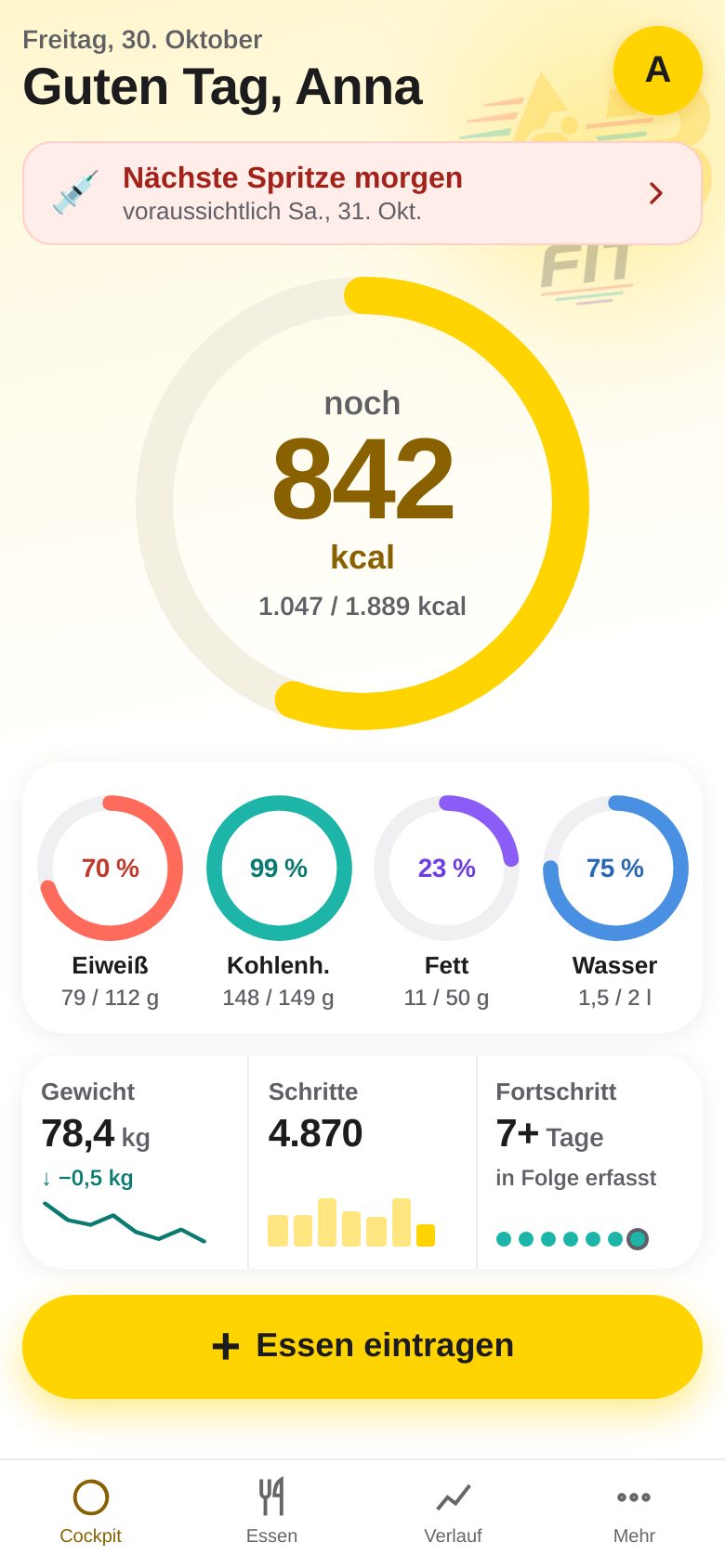
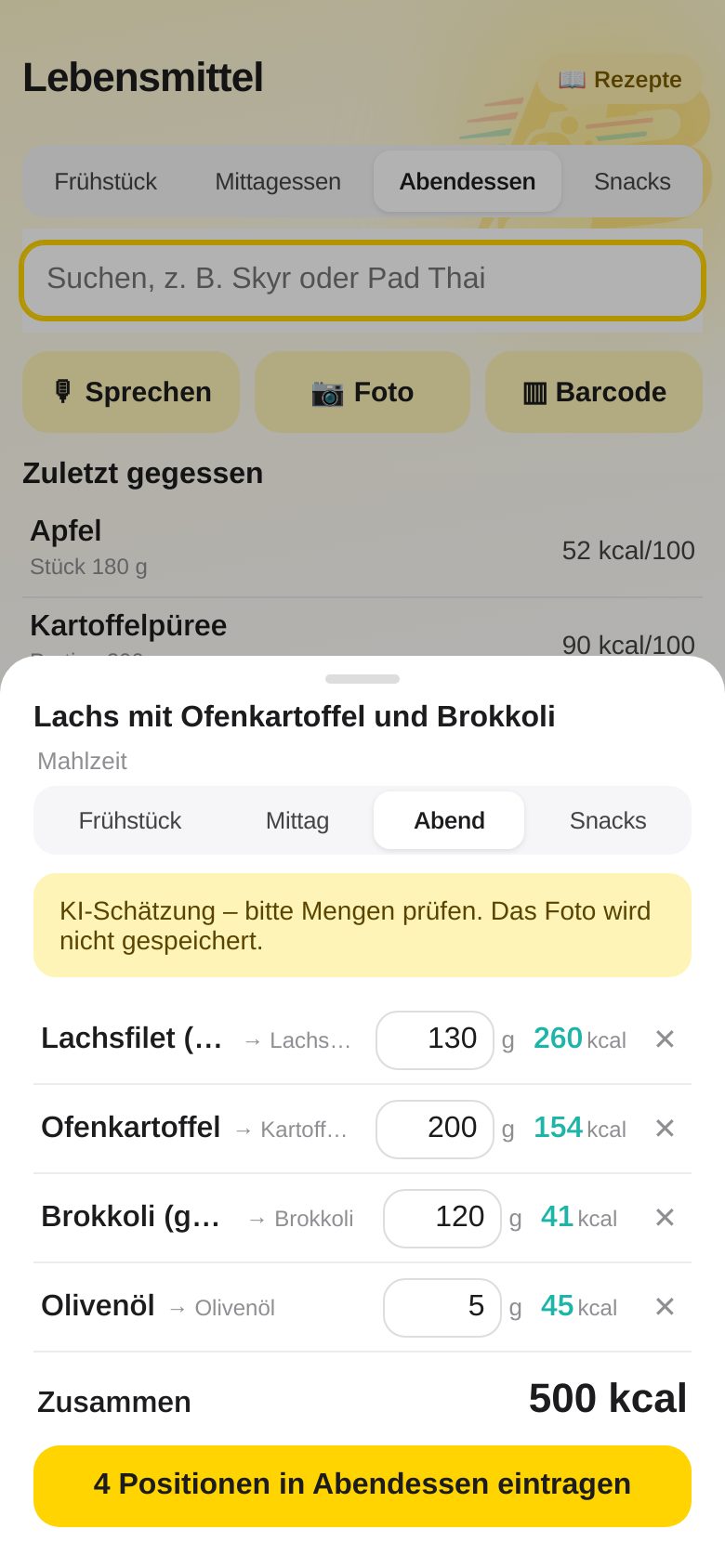
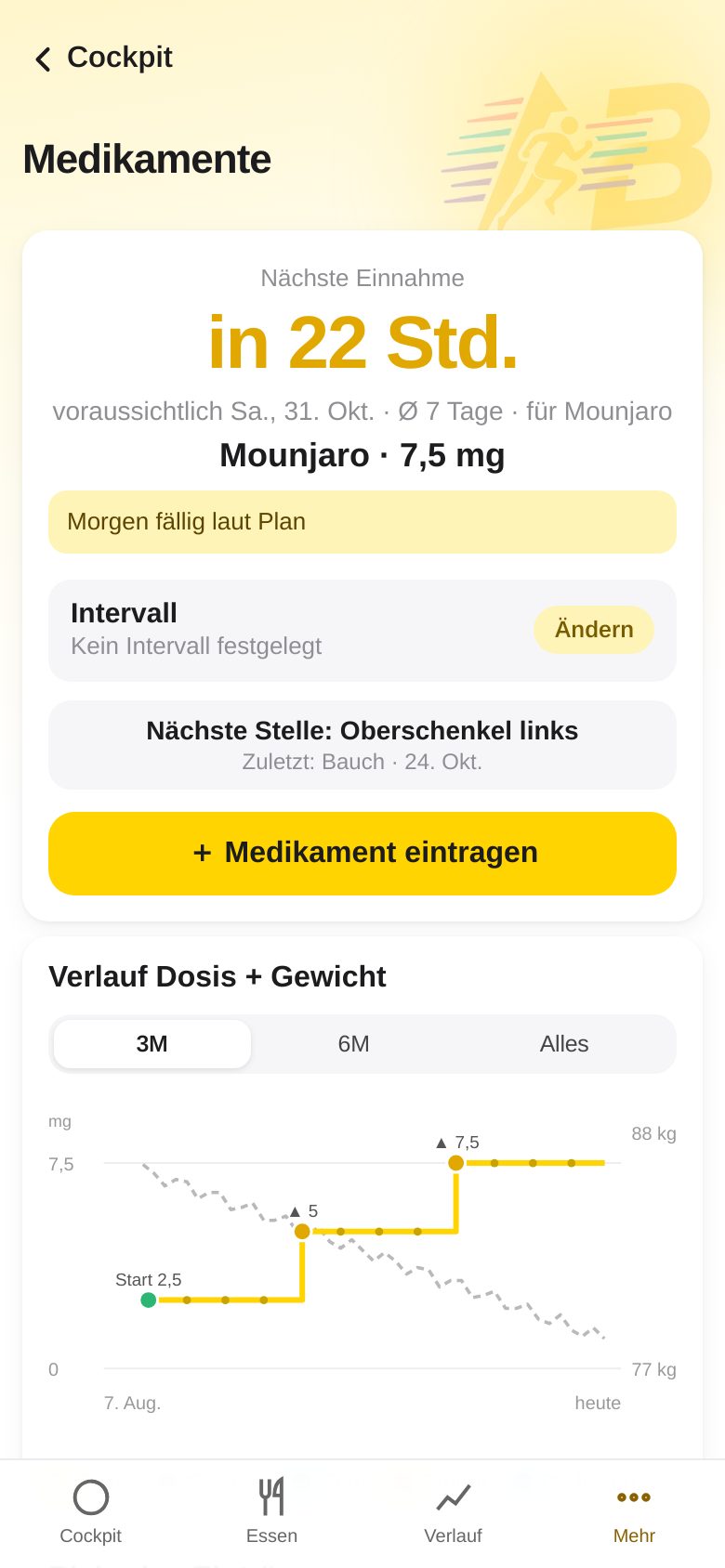
The screenshots show the app in German, its default language. Switch the language under More → Settings → Language (see section 15 of the User Guide).
The four tabs
CockpitHome page: calorie ring (tap = Day overview), rings for protein, carbs, fat and water, weight, steps, progress, medication hint and “Add food”. The yellow profile icon at the top right leads to Settings.
FoodSearch, barcode, photo, speak, nutrition label, custom foods, recently eaten – and “Recipes” at the top right.
HistoryWeight, body fat, activity (steps, workouts) and the trend over time.
MoreDay overview, Day wrap-up, Log medication, Log & dose curve, Help, Settings (Profile, Apple Health & Sync, Language, Appearance, Account), Sign out.
Where did things go? The former “Overview” is now called Day overview: tap the calorie ring in the Cockpit or go to More → Day overview. Medications open via the medication hint in the Cockpit or under More → Log medication or Log & dose curve. All features are still there.
Privacy: Your data lives on your own server, not in someone else’s cloud. Photos for AI recognition (meal, recipe, nutrition label) are sent for analysis only and are not stored. Exception “Photograph leftovers”: the before and after photos stay with the meal in your account.
All pictures show a sample account with made-up data. ABfit gives no medical advice.
All pictures show a sample account with made-up data. ABfit gives no medical advice.